Rescue on Fractalus! video from 1984 press conference
After the Lucasfilm Games logo,
there will be black screen and SOUND ONLY for one minute 20 seconds.
This
video was first shown at the Lucasfilm Games press conference on May
9, 1984 to introduce their first two games, Rescue on Fractalus! and Ballblazer.
Feel free to watch this video, but please do not download or re-distribute it.
Rescue on Fractalus! is an action game played from a 3D first person point of view originally developed
for the Atari 800 and 5200. Your mission is to rescue stranded pilots on the planet of Fractalus.
You begin
each mission from the mother ship, and when your quota of pilots has been rescued you must return there so you
can move on to the next level. (Thank you Ray Hardgrit for the animated gifs!)
To help locate the pilots and navigate the tricky terrain, your spaceship is equipped
with various instruments, such as a compass, altimeter, and scanner. Your enemy, the J’hagga Ri Kachatki (better
known as the Jaggies), have numerous forces on this planet and will be attempting to stop you. Gun emplacements,
flying saucers, and the Jaggi themselves are all capable of destroying your ship if you don’t destroy them first.
To defend yourself from these threats, your ship is equipped with torpedoes. As the levels progress, the Jaggi
defenses become more aggressive, and you will even need to fly some night missions where visibility is limited!
The Making of Rescue on Fractalus!
There’s a fantastic article about how Rescue was created. It was in issue 44 of Retro Gamer Magazine, written by Michael Bevan. You can download the PDF of the article here.
Credits
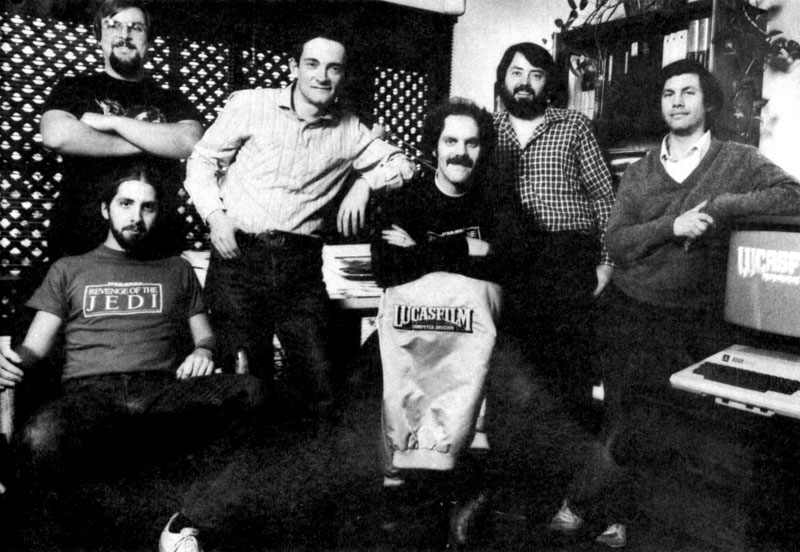
From the game manual:Rescue on Fractalus! was created by the Lucasfilm Computer
Division Games Group. David
Fox directed the project and created the concept, transition scenes, animation, and documentation. Loren
Carpenter of the Lucasfilm Computer Graphics Project did the 3-D fractal landscape image generation
and co-created the concept.
Charlie Kellner was responsible for animation, music,
sound, and flight dynamics; Gary
Winnick provided animation;
David Levine provided support; and Peter
Langston, the Games Group Leader, contributed to the concept and designed
night flying, music, and sound. Special thanks to George Lucas.
At the press conference in 1984 where this video was first shown, the idea was
to present only imagery captured directly from the game. We felt our first two games were breathrough enough that
we didn’t need any special effects, and indeed, we were concerned that if anything on the screen was created outside
the game, people might think everything was. That’s why we chose to show a blank
screen for the first minute and
twenty seconds rather than creating any non-game imagery.
Sound was a different matter, though. While all the sound effects
and music were from the games, personal computers of the early 1980s were not powerful enough to do voice (other
than maybe a word or two).
To prepare this video, first a script was written with all the dialog and scene descriptions. Dialog
was recorded
at Robert Berke Sound in San Francisco using professional
voice-over actors. Then the video was captured to tape directly from an Atari 800 computer. The video and the voice
were then edited together, and a few video transitions added between scenes. The only part of the video that was
not from the Atari is the end sequence.
Video Director: Laurie
Bauman Arnold Encoded for the Web:David Fox Audio Recording Engineer/Mixer:Mark
Escott Video Voice Talent: Commander – Rick
Cimino
Fox Leader, Announcer – William T. Hall
Wolf Leader – ??
Technical Problems
Are you having trouble streaming the video? Here are some things to try:
If there’s only a black screen after the Lucasfilm Logo plays in the beginning, that’s ok. The first minute
and 20 seconds uses only a black screen and sound. This is how the original video was created to avoid confusing
the audience by adding non-game originated imagery.


_02.gif)
_03.gif)
_15.gif)